

Standing on the top deck of a cruise ship with a fresh ocean breeze in your hair is the ultimate getaway until you try to send a quick photo to family or check your return flight status, only to be met with an endless spinning loading wheel. While maritime internet technology has evolved by leaps and bounds over the past decade, staying connected in the middle of the ocean remains fundamentally different from plugging into high-speed fiber on land. Whether you need to catch up on urgent work emails, stream entertainment in your cabin, or review pre-trip logistics like off-site airport parking alternatives, understanding how shipboard networks operate is essential for a smooth, stress-free trip.
For decades, accessing the web while sailing meant putting up with glacial speeds and exorbitant per-minute fees that could easily total hundreds of dollars. Today, satellite revolutions like SpaceX's Starlink have brought modern speeds to international waters, making onboard connectivity far more viable. However, managing your digital life at sea still requires smart planning, realistic expectations, and proper device configuration. Before you step onto the gangway for your next cruise, here are 5 essential tips every traveler must know about cruise ship Wi-Fi, along with expert advice on organizing your pre-cruise travel logistics from port to shore.
Want Fast Cruise Wi-Fi and Zero Surprise Bills on Your Next Voyage?
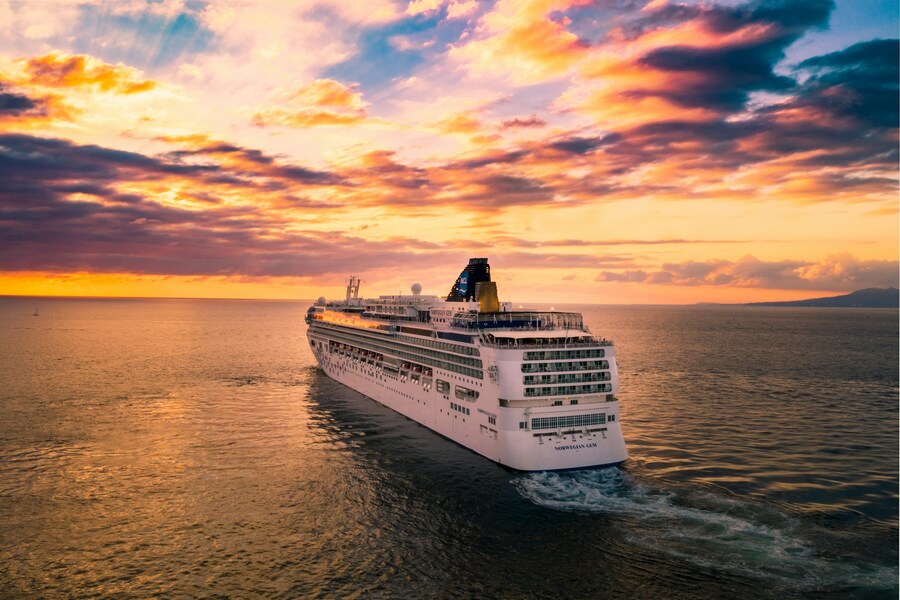 Source: Alonso Reyes/Unsplash
Tip 1: Understand Satellite Physics – Why Cruise Wi-Fi Won't Match Home Speeds
The biggest mistake cruisers make is expecting their cruise ship Wi-Fi to behave exactly like their home gigabit connection or modern mobile network. On land, data travels through underground fiber-optic cables directly to localized cell towers or routers. At sea, every single byte of data your phone sends or receives must travel tens of thousands of miles up into space to an orbiting satellite, bounce back down to a land-based ground station, process through the web, and complete the entire journey in reverse back to your moving ship.
While modern
- Obstruction and Line of Sight. Satellite dishes mounted on the top deck require an unobstructed view of the sky. If your ship enters deep geographic cuts – such as the dramatic cliffs of the Norwegian fjords or Alaska's Inside Passage – surrounding mountains can physically block satellite beams, causing temporary blackout zones.
- Weather and Atmospheric Friction. Heavy rainstorms, dense cloud cover, and solar activity can degrade satellite signal strength, causing sudden speed drops or dropped connections.
- Bandwidth Sharing Across Thousands. A modern mega-ship can carry over 6,000 passengers plus 2,000 crew members. When thousands of people return from shore excursions at 5:00 PM and simultaneously log on to check social media, local network congestion is inevitable.
On a modern Starlink-enabled vessel, you can generally expect download speeds ranging between 8 Mbps and 15 Mbps. While this is more than sufficient for streaming high-definition video, sending emails, or making Voice over IP calls on messaging apps, it's slower than standard residential landlines.
Tip 2: Lock In Pre-Cruise Discounts, Loyalty Perks, and Suite Bundles
The days of paying an agonizing $0.75 per minute for cruise ship Wi-Fi are thankfully behind us. Today, almost every major cruise line has transitioned to flat daily rates for unlimited data packages. However, walking onboard and purchasing internet access on Day 1 is the most expensive way to buy.
Average daily rates across popular cruise lines generally range as follows:
- Royal Caribbean. $18 to $28 per day (Save 20% to 30% by pre-purchasing online).
- Carnival Cruise Line. $15 to $22 per day (Save up to 15% pre-cruise).
- Celebrity Cruises. $20 to $30 per day (Discounts available via pre-cruise planner).
- Viking and Regent Seven Seas. Included in the base fare as complimentary unlimited access.
Practical Strategies to Save on Onboard Internet
- Pre-Purchase Online. Cruise lines routinely offer 20% to 30% discounts on Wi-Fi packages if you purchase them through their online cruise planner portal prior to embarkation.
- Multi-Device Bundles. If you travel with family or a companion, buy a single multi-device package rather than separate individual accounts. A multi-device plan is significantly cheaper per device than multiple separate single-device plans.
- Leverage Loyalty Tiers. Higher-tier loyalty members frequently receive free Wi-Fi minutes or substantial package discounts. For instance, Princess Cruises offers a 50% discount on MedallionNet packages to Platinum and Elite Captain's Circle members, while Celebrity Cruises provides complimentary Premium Wi-Fi to top-tier Zenith members.
- Book Suite Accommodations. High-tier suites frequently include complimentary high-speed Wi-Fi as a built-in amenity. Royal Caribbean's Sky Class and Star Class suite guests, for example, receive complimentary Voom internet throughout their voyage.
Tip 3: Utilize Free Onboard Cruise Apps Without Purchasing a Wi-Fi Plan
Many travelers assume they must purchase an expensive daily Wi-Fi package just to navigate the ship or stay organized during their vacation. In reality, modern cruise lines operate internal localized Wi-Fi networks (often called intranets) that allow you to use the line's official smartphone app completely free of charge.
You don't need an active paid internet package to connect to the ship's Wi-Fi network and access these essential app features:
- Interactive Daily Schedules. Browse daily activity rosters, evening entertainment schedules, and port arrival times in real time.
- Dining and Shore Excursion Reservations. Reserve specialty dining tables, SPA treatments, and shore excursions directly from your lounge chair on the lido deck.
- Cabin Controls and Account Tracking. On advanced ships, the app allows you to adjust your stateroom temperature, unlock your door, adjust lighting, and monitor your onboard spending account balance.
- In-App Passenger Messaging. Most cruise line apps feature built-in chat functions allowing you to message family members on board. While some lines offer this free, others charge a nominal one-time fee (for example, Carnival charges a flat $5 fee per user for the entire sailing to activate chat on their HUB app).
Download your cruise line's official application onto all family devices before leaving home, as downloading large app updates using airport or shipboard networks right before sailing can be frustratingly slow.
Tip 4: Master the Airplane Mode Protocol to Avoid Devastating Roaming Bills
There's no quicker way to ruin a fantastic vacation than returning home to a multi-thousand-dollar mobile bill. Cellular providers don't cover maritime satellite networks under standard international phone plans. Land-based add-ons – such as international daily passes from major carriers – apply only when your phone connects to terrestrial cell towers on land, not when connecting to maritime cell towers while underway at sea.
When a ship sails into international waters, its onboard cellular transmitter activates automatically. If your phone's cellular data remains enabled, background processes – such as automatic cloud backups, app updates, email syncs, and photo uploads – will route through this satellite network at exorbitant pay-per-megabyte roaming rates. Families have unwittingly incurred bills exceeding thousands of dollars during a single week at sea due to background data usage.
The Step-by-Step Device Setup Protocol
- Switch device to AIRPLANE MODE immediately upon boarding the ship.
- Manually turn Wi-Fi back ON while keeping cellular networks completely turned off.
- Disable Background App Refresh and Auto-Downloads in your device settings.
- Turn OFF cellular data roaming toggles as a secondary safety shield.
- Connect to the ship's Wi-Fi network and log in to your package or app.
By strictly keeping your device in Airplane Mode and selectively switching Wi-Fi on, you guarantee that your phone communicates only over Wi-Fi, completely isolating you from unauthorized cellular roaming charges. For phone calls and text messaging, rely on Voice over IP platforms like WhatsApp, iMessage, or Wi-Fi calling features provided by your carrier.
Tip 5: Secure Your Digital Footprints and Streamline Pre-Cruise Logistics
While onboard Wi-Fi allows you to keep up with life on land, public networks require basic cybersecurity awareness. Cruise ship networks are shared public environments. When connecting to onboard Wi-Fi, avoid performing sensitive financial transactions or accessing unencrypted personal portals unless you are using a Virtual Private Network (VPN). Keep in mind, however, that some cruise lines restrict high-bandwidth VPN protocols on standard Wi-Fi tiers, requiring a premium tier for full VPN functionality.
Just as you safeguard your personal data while traveling, securing your physical assets on shore is equally critical to a stress-free getaway. A smooth cruise experience begins long before you step onto the ship or log into maritime Wi-Fi – it starts the moment you leave your driveway.
Prioritizing Airport Parking Safety and Flexibility
If you are flying into a port city before embarking on your cruise, securing your vehicle back home is a paramount travel priority. Leaving your car parked in an unmonitored street location or an unvetted public lot for a week-long voyage leaves it vulnerable to theft, vandalism, and costly weather damage.
Prioritizing airport parking safety means reserving space at professionally managed, well-lit facilities that feature continuous 24/7 video surveillance, perimeter fencing, and staff presence. Evaluating off-site airport parking alternatives allows travelers to avoid the astronomical rates charged by official airport terminal garages while enjoying premium conveniences, such as complimentary shuttle transport right to your departure terminal.
Moreover, ocean itineraries and airline flights are susceptible to sudden schedule changes due to maritime weather or air traffic delays. When travel dates shift unexpectedly, you need the ability to easily modify or cancel airport parking reservation bookings without incurring punishing penalties or lost deposits. Utilizing a reliable booking platform ensures that your pre-cruise ground logistics remain just as adaptable as your cruise itinerary.
Strategic Overview: Onboard Connectivity vs. Shoreline Logistics
 Source: Glenn Carstens-Peters/Unsplash
To balance your pre-cruise preparations with onboard digital management, consider these primary strategic goals:
- Avoid Accidental Charges. Enable Airplane Mode prior to leaving port. Leaving cellular data active while at sea leads to massive roaming bills.
- Minimize Wi-Fi Costs. Pre-buy internet packages online 30 days prior to departure rather than paying full price on embarkation day.
- In-Port and Onboard Navigation. Download the cruise line app before leaving home so you don't waste bandwidth downloading large installation files on ship Wi-Fi.
- Ground Logistics and Vehicle Protection. Select verified lots featuring clear airport parking safety measures instead of leaving vehicles in unsecured public spaces.
- Booking Flexibility. Ensure you can cancel airport parking reservation orders hassle-free to avoid locking your funds into non-refundable third-party lots.
Conclusion

Source: Ted Eytan/Unsplash
Modern cruise ship Wi-Fi has forever changed how we travel, allowing us to stay connected with family, share unforgettable ocean views, and handle necessary business from virtually anywhere on the globe. By understanding satellite limitations, pre-purchasing discounted data packages, maximizing free onboard apps, and strictly enforcing the Airplane Mode protocol, you can enjoy fast, reliable internet at sea without facing unexpected charges upon your return.
However, true peace of mind on vacation comes from knowing that every element of your trip – from port to shore – is thoroughly organized. Long before you log into your ship's Wi-Fi network, make sure your ground logistics are fully secured.
When planning your upcoming voyage, rely on our reservation system at AirportParking.deals to compare top-rated, highly secure parking facilities near your departure airport. With guaranteed spaces, robust security features, competitive rates, and seamless modification policies, our reservation system ensures your vehicle remains safe while you sail – leaving you free to relax, unwind, and enjoy the open ocean.


