

In the ever-evolving landscape of modern aviation, the interior of a passenger cabin has become a dense ecosystem of digital dependency. We no longer just board a flight with a book and a dream; we board with a primary smartphone, a secondary tablet, noise-canceling headphones, a smartwatch, and perhaps a handheld gaming console or e-reader. As airlines transition away from the heavy, traditional AC power bricks toward streamlined, high-output USB-C ports integrated into the seatback, the dynamics of the cabin have shifted. What was once a simple matter of "first come, first served" has evolved into a complex social contract. The "Charging Wars" are no longer about who gets to use the one available outlet in the lounge; they are about how we navigate the shared, often power-limited digital lifelines located right between our armrests.
So, how can travelers master the modern etiquette of shared USB-C charging?
 Source: Bram Van Oost/Unsplash
The transition to universal USB-C standards in aircraft was intended to simplify our lives, yet it has introduced a new set of unspoken rules. On most modern long-haul aircraft, the power distribution system is a finite resource. While every seat might technically have a port, the total wattage available to a row is often shared. If your neighbor is drawing 60W to power a high-end laptop for video editing, your smartphone might find itself relegated to a "trickle charge" that barely keeps the battery percentage from dropping. Understanding the technical and social nuances of this environment is the first step toward a stress-free journey.
The technical reality of in-seat power
Modern aircraft are increasingly equipped with
When you plug in a device, the handshake between your gadget and the plane's system determines the wattage. If you are the only one charging, you might get the full 60W or 100W the port is rated for. The moment the passenger in 14B plugs in their tablet, the system may rebalance, cutting your output to 30W. The etiquette here begins with awareness: if you are already at 90% battery, it's considered polite to unplug and let your neighbor, who might be staring at a 5% "red zone" warning, have the lion's share of the available current.
Security and the "juice jacking" myth vs. reality
While much has been said about "juice jacking" – the idea that public USB ports can steal your data – the reality on a commercial aircraft is slightly different. The USB ports in your seat are connected to the In-Flight Entertainment (IFE) system and the aircraft's power grid, not a malicious hacker's laptop. However, the hardware can still be a point of failure. A mangled port with bent pins can short-circuit your expensive cable or, in rare cases, damage your device's charging controller.
To maintain both security and hardware safety, the savvy traveler in 2026 uses a "USB data blocker" or a "power-only" cable. These simple tools ensure that no data pins are connected, allowing only electricity to flow. Not only does this protect your privacy, but it also signals to the IFE system that you aren't trying to sync a library, which can sometimes prevent annoying "Device Not Recognized" pop-ups on your seatback screen.
Navigating the space: cable management and elbow room
The physical layout of charging ports – often located near the screen, under the armrest, or at the base of the seat – creates a literal web of cables. Etiquette dictates that your cable should never infringe upon your neighbor's personal space. If the port is located under the middle armrest, the "ownership" of that area is often contested.
A pro tip for the frequent flyer is to carry a 6-foot (2-meter) cable. This allows you to route the wire down the side of your own seat cushion rather than having it drape across the shared armrest or dangle over your tray table where it might get snagged by a passing flight attendant or a neighbor heading to the restroom. Using a small Velcro tie to manage excess slack is a hallmark of a seasoned traveler who respects the tight quarters of economy class.
The portable power bank strategy
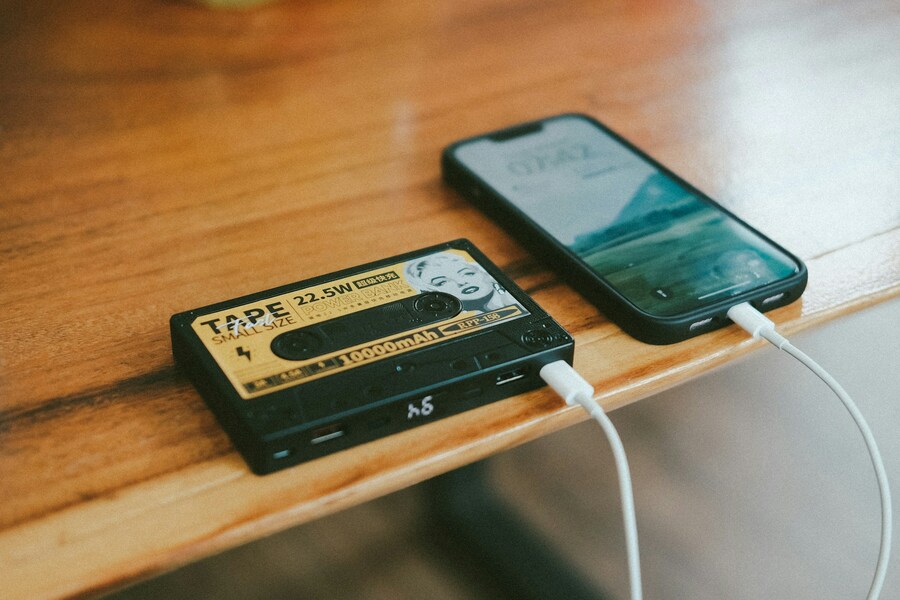
Despite the abundance of ports, relying solely on the aircraft for power is a rookie mistake. In-seat power is notorious for being disabled during takeoff and landing or failing entirely on older aircraft. To be truly self-sufficient, always carry a high-capacity (but TSA-compliant) power bank.
Under current regulations, lithium-ion batteries must be carried in your hand luggage and are typically capped at 100 watt-hours (Wh). Having your own power source means you can "fast charge" your devices at your own pace without participating in the row-mate power struggle. Moreover, if the person next to you is truly desperate – perhaps a parent trying to keep a toddler's tablet alive – offering a charge from your portable bank is the ultimate gesture of cabin camaraderie.
Managing expectations with fast charging
Not all USB-C cables are created equal. To take advantage of the high-speed charging available on newer planes, you need a cable rated for the wattage you expect. If you use a cheap, thin cable designed for a 2015-era phone, you'll be disappointed. Investing in a high-quality, E-Marked cable ensures that the aircraft's power system can "see" that your device is capable of receiving a high-wattage charge. This efficiency reduces the time you need to be plugged in, freeing up the port for others more quickly.

Source: Fredrik Öhlander/Unsplash
Timing your charge for maximum efficiency
Timing is everything in the air. Most passengers wait until their devices are nearly dead before scrambling for a cable. This creates a "peak demand" period shortly after the 10,000-foot chime sounds. If you want the fastest speeds, consider charging your devices while others are eating or sleeping. When the cabin lights dim and the majority of the plane is watching movies, the overall load on the aircraft's electrical system is slightly lower, occasionally resulting in more stable power delivery to individual seats.
Beyond the seat: airport charging realities
The "Charging Wars" don't start on the plane; they begin at the gate. We've all seen the huddle around the "power pole" in the terminal. While the etiquette of the gate is similar – don't hog a port for four hours if you're already charged – there's a logistical layer to consider before you even reach the gate. This involves your transition from the car to the terminal.
For those flying out of Central Texas, the journey begins long before the USB-C handshake. Efficiency starts with how you handle your vehicle. Utilizing AUS parking deals allows you to secure a spot quickly and potentially find facilities that offer electric vehicle (EV) charging. By ensuring your car is settled and perhaps even topped up through specialized AUS Airport parking services, you reduce your overall travel stress, entering the terminal with a "full battery" mindset that makes you a more patient and polite neighbor once you're at 35,000 feet.
Adapting to new security protocols
As we move through 2026, AI-powered security scanners have changed how we pack our tech. Gone are the days of having to pull every single cable and battery out of your bag. However, these scanners are more sensitive to "clutter." To speed up the process for everyone, use a dedicated tech organizer. A transparent or mesh electronics pouch allows the AI to easily identify your power banks, cables, and adapters without requiring a manual bag search.
Being the person who glides through security because their gear is organized is a "travel hack" that benefits the entire line. If your cables are tangled in a "rat's nest" at the bottom of your bag, the scanner may flag it as an unidentified mass, leading to delays. Modern etiquette is about the collective experience, and that includes being prepared for the technical scrutiny of modern checkpoints.
The rise of multi-port travel chargers
If you find yourself in a situation where only one AC outlet is available for the entire row (common in older "transitional" cabins), a multi-port GaN (Gallium Nitride) charger is your best friend. These chargers are incredibly compact and can turn one wall plug into three or four USB-C ports. By offering to let your neighbors plug their cables into your high-speed hub, you effectively end the "Charging War" before it starts, becoming the hero of the row while ensuring all your own devices stay topped up.
Communication: the final frontier of etiquette
When in doubt, speak up – kindly. If you need to use the power but your neighbor's cord is taking up the only accessible port, a simple, "Do you mind if I swap in for an hour once you've reached a full charge?" goes a long way. Most people aren't trying to be "power hogs"; they are simply unaware. In the high-altitude environment, where tension can run high, a bit of transparency regarding your power needs can prevent the passive-aggressive tugging of cables that defines an unpleasant flight.
Conclusion
The "Charging Wars" are a symptom of our hyper-connected age, but they don't have to result in conflict. As USB-C becomes the undisputed king of connectivity, the burden of etiquette shifts to the user. By understanding the limitations of aircraft power, investing in the right hardware, and maintaining a sense of spatial awareness, we can transform the cabin from a battlefield of wires into a harmonious digital lounge.
Ultimately, the best travel hack isn't a secret button or a hidden menu; it's preparation. From securing the best rates on parking before you leave to having a data blocker in your pocket, every step you take to streamline your logistics makes the journey smoother for everyone. As we navigate the skies in this era of unprecedented technology, remember that the most valuable thing you can carry isn't a full battery – it's a bit of consideration for the person sitting in the seat next to you.


